Complete leave year-end activities using greytHR
Subscribe to watch greytHR how-to video
Leave Year End (LYE) is when an employee’s accumulated leave is reviewed and reset. This is done at the end of a specific period, like the calendar or fiscal year. Processing LYE is important for:
- Keeping leave records accurate
- Updating leave balances
- Getting ready for the upcoming year
The process ensures fair leave distribution and policy compliance by settling leave-related activities like lapses, encashments, and carry-forward balances before the new leave year starts.
Manual vs. Automated Leave Year End
In greytHR, admins can process Leave Year End through manual or automated options, each offering unique benefits based on organizational needs:
- Manual processing:
- This gives you hands-on control to review and confirm leave details.
- Great for smaller teams or when you want to be extra thorough.
- Automated processing:
- This option handles everything for the admins, reducing manual work and minimizing errors.
- Ideal for larger organizations or those wanting a more efficient, error-free process. Automation also provides real-time updates and easy reporting.
Get started with leave year-end process
From the greytHR Admin portal, hover over the 9 dots and go to Leave and Attendance > Admin > Year End Process.
[image]
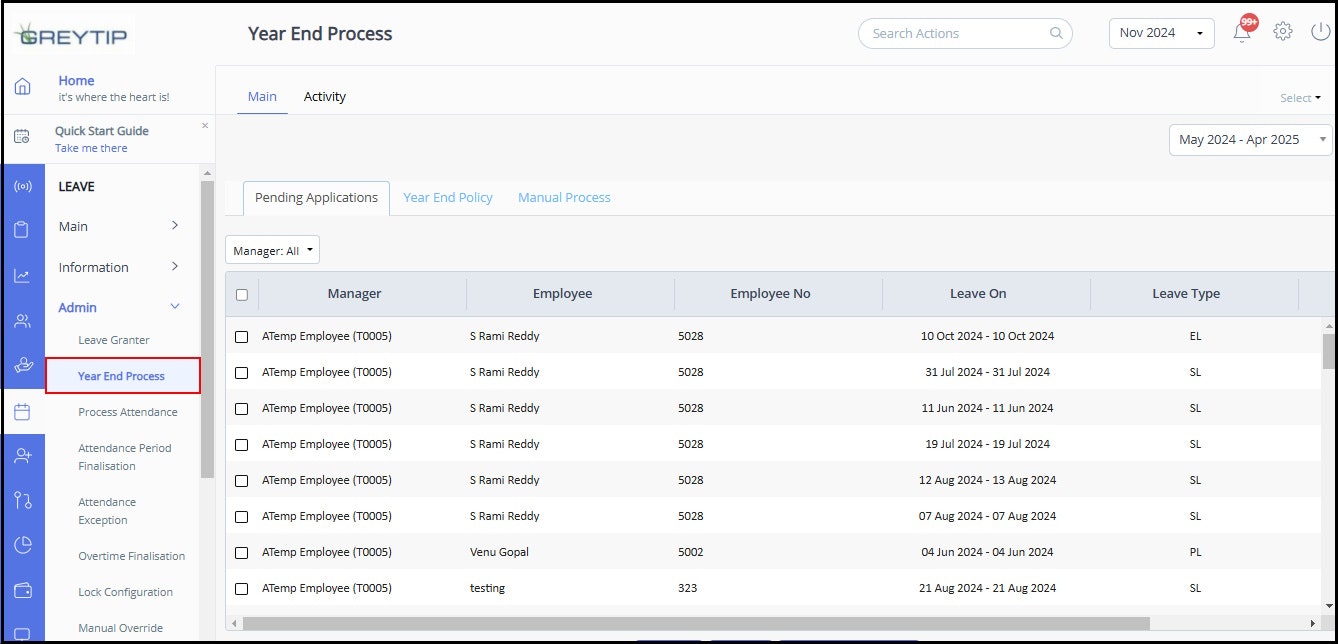
On the Year End Process page, you can choose between manual and automatic processing, based on what works best for your organization.